Quotes & estimating
Price the job
and see what it costs you.
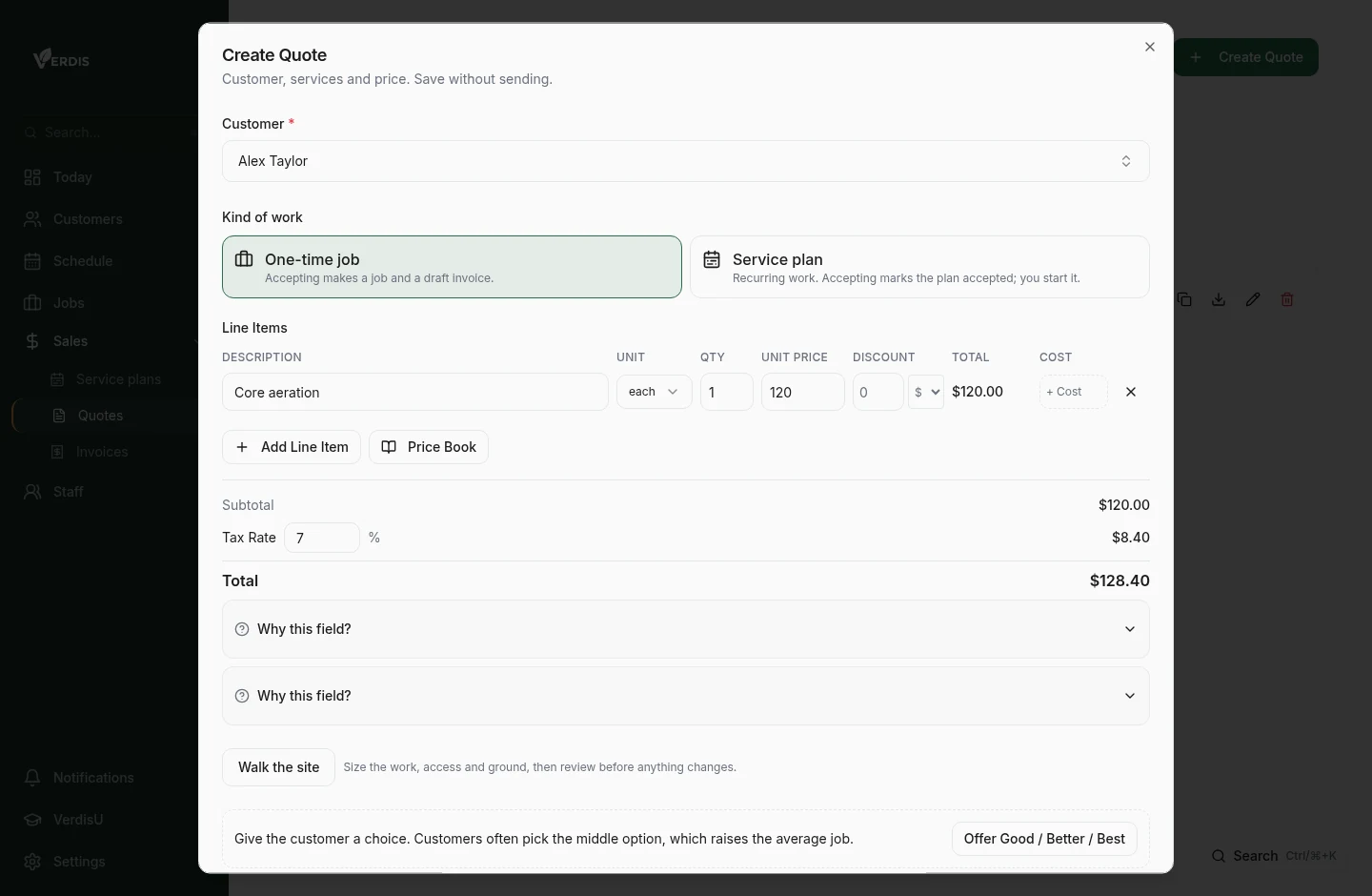
Start with the customer and the work in front of you. Build an itemized quote, use your service prices and quantities, and check the private cost picture before you send.
14 days free. Card required. No charge until your trial ends.
What you can do with it.
Use the measurement, not a second guess.
Saved lawn measurements can size square-foot and acre quote lines. Your price book and reusable services keep your own rates close.
Check the work behind the number.
Walk the site, review quantities and allowances, and account for crew time and materials. Detailed private cost setup is on desktop, with a summary on your phone where available.
Keep the customer's quote clear.
Your quote carries the services, tax, work location and customer-facing notes. Internal costs stay private. Good / Better / Best options are available for one-time quotes. Customers accept online by signing the quote on their phone.
Part of Verdis OneTouch
How it fits with
the rest of Verdis.
OneTouch keeps the quote with the customer. Accepted one-time work can carry its details into a job and draft invoice. Repeating work belongs in a service plan, with its own activation and billing decisions.
See OneTouch in actionQuoting is on every plan. Cost-aware tools follow the capabilities enabled in your Verdis account. Compare plans.
A few things worth knowing.
What is Verdis OneTouch?
OneTouch is the way Verdis connects your customers, properties, quotes, jobs, service plans and invoices. Start from the customer and choose the kind of work. Keep the details together as the work moves forward, while you stay in control of approvals, scheduling and billing.
Does saving a quote send it?
No. Save your draft, check the services and totals, then choose Send by Email or Send by Text when you're ready.
Can customers sign a quote electronically?
Yes. A customer who accepts online signs the quote with a finger or the mouse, confirms their name and taps Sign & accept. Verdis keeps the signed copy with a frozen version of the quote and a signature record. It works for one-time and service plan quotes, on every plan. See the e-signatures page for each step.
Can customers see my costs and margin?
No. Internal costs and margin are for the owner. Customers see the quote and customer-facing notes you choose to share.
Can I get help from a real person?
Email and scheduled phone/video help on every plan. Growth and Canopy add priority support; Canopy adds hands-on migration and direct founder support. Use the contact form for help or request a personal walkthrough before getting started.
Field notes for owners
Related reading.
Pricing6 min read
Landscaping CRM Pricing in 2026: What Small Companies Should Expect to Pay
The number on the pricing page is the start of the bill. A five-line sheet turns a sticker price into a cost you can compare. The vendor pages were checked November 18, 2026.
Pricing7 min read
How to Build a Landscaping Labor Rate That Covers the Whole Hour
A $24 wage is not a $24 labor cost. Build a productive crew-hour rate, recover travel once, and turn cost into price with a worked example and copyable worksheet.
Pricing6 min read
Which Landscaping Jobs Actually Made You Money This Year?
Revenue tells you which customers paid the most. Profit per crew-hour tells you which ones were worth the truck. A worksheet and a season review you can run this winter.
Support
Help comes from a person, on every plan.
Need a hand with your first quote, a service plan, or getting your crew set up? Get personal help by email or a scheduled phone or video call. Every plan includes a real person to turn to.
Growth and Canopy add priority support; Canopy adds hands-on migration and direct founder support.
14-day free trial
Put Verdis to work on your next job.
Start with one customer and one real quote, job or invoice. If you get stuck, ask us.
14 days free. Card required. No charge until your trial ends.
Prefer a personal walkthrough?