E-signatures
Signed on their phone.
Kept with the job.
Your customer opens the quote, signs with a finger and accepts. Verdis saves the signature with a frozen copy of what they agreed to, for one-time jobs and for service plans.
14 days free. Card required. No charge until your trial ends.
Included on every Verdis plan
What your customer does
Four steps from the quote
to a signed yes.
Step 1
They open your quote.
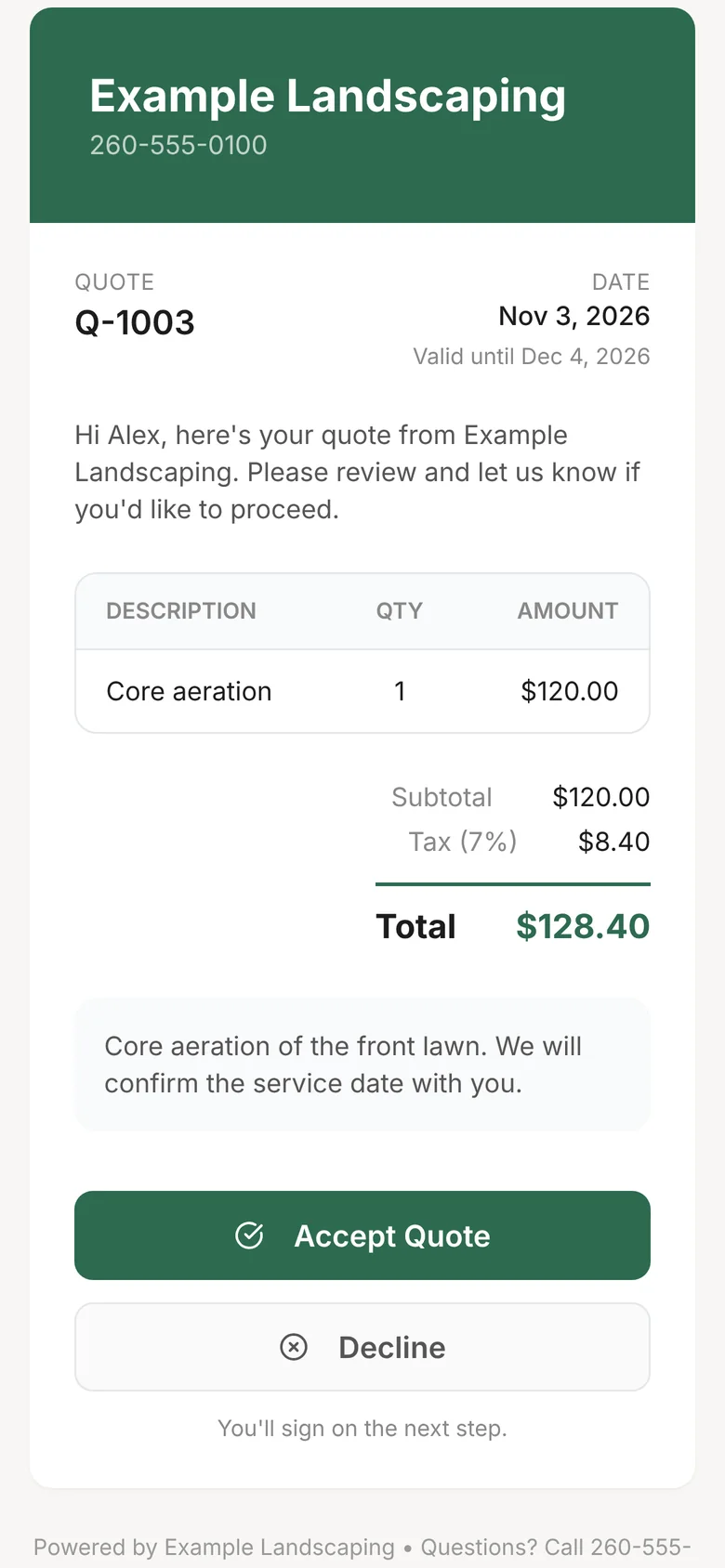
The link in your quote email opens it without a password. They see your business, the work, the tax and the total.
Step 2
They read and sign.
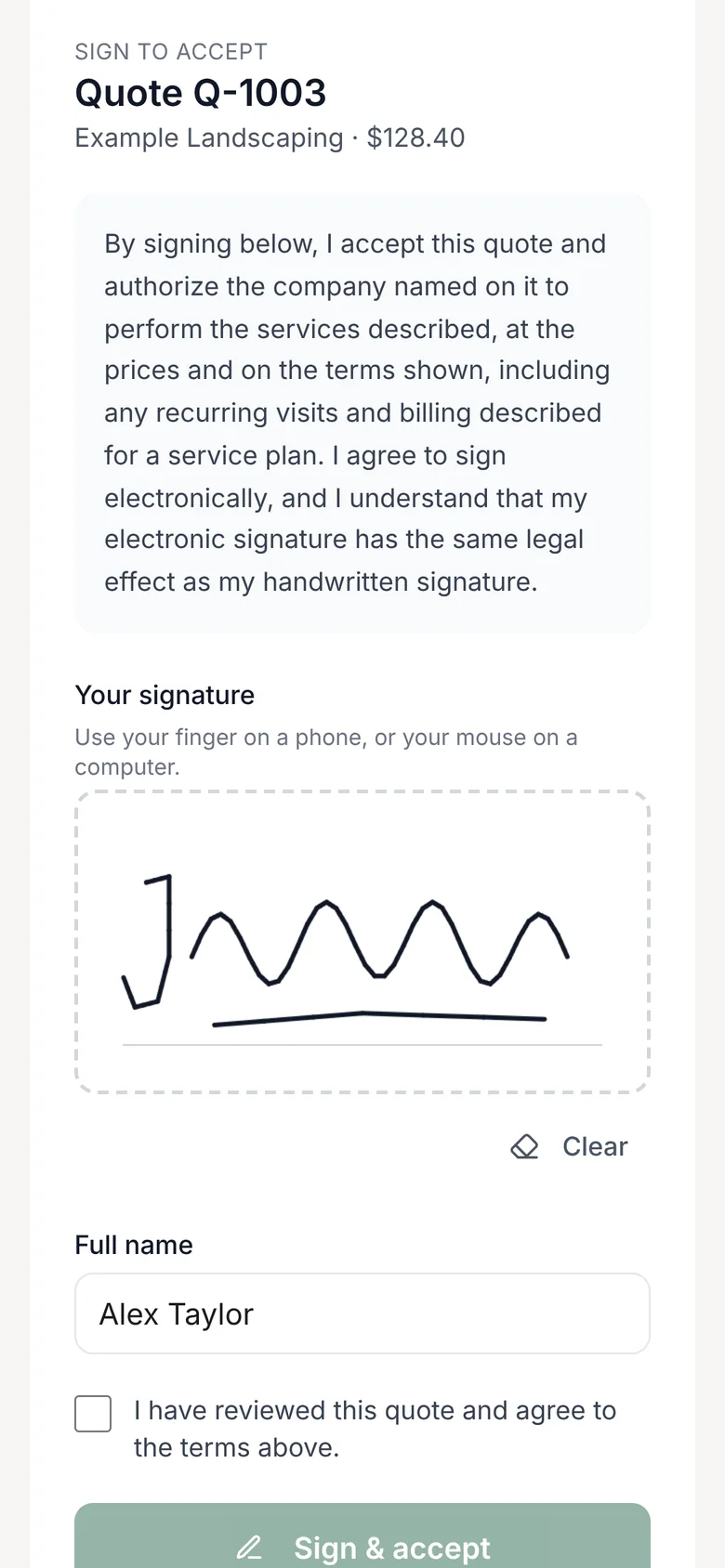
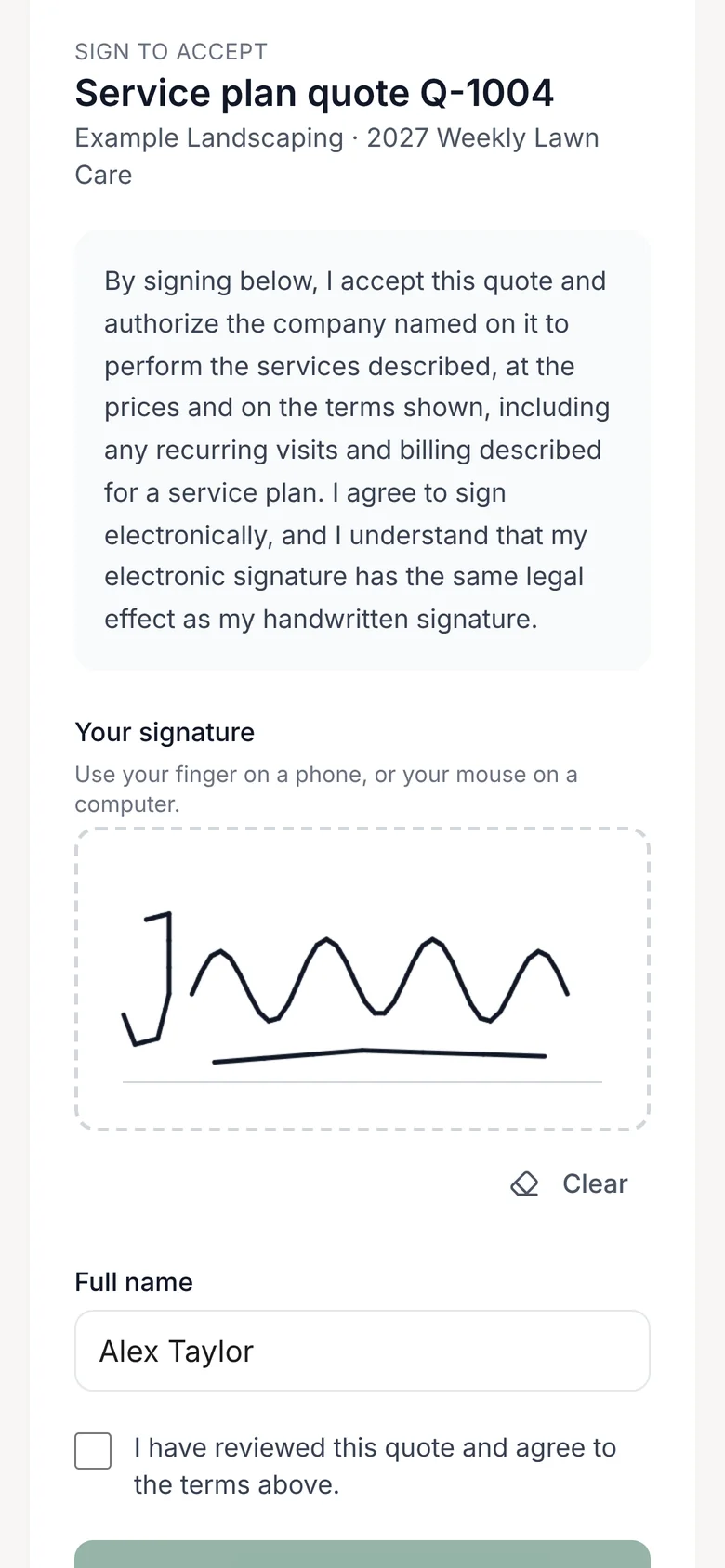
Accept opens the signing step: a short agreement and a box to sign in, with a finger on a phone or the mouse on a computer.
Step 3
They confirm their name.
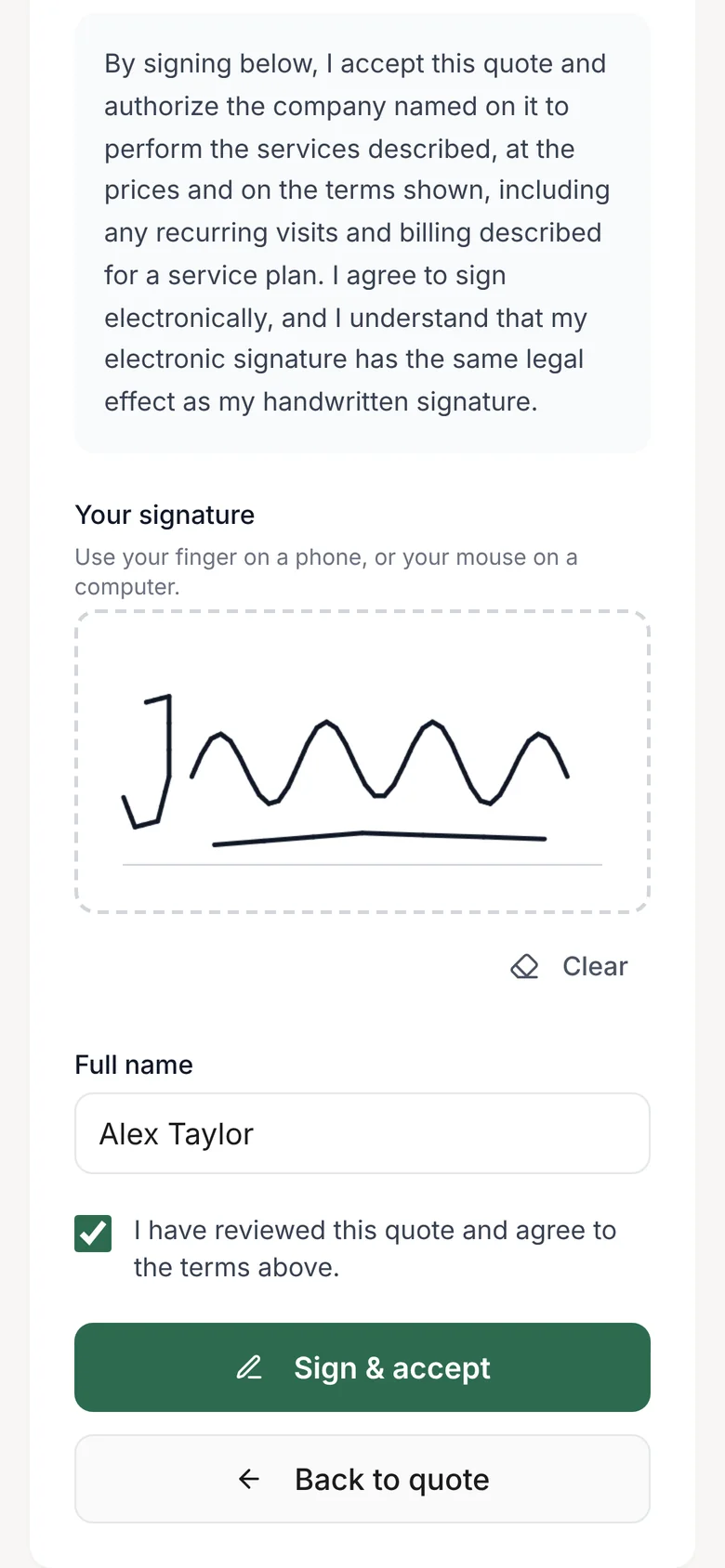
Their full name, one box to tick, then Sign & accept. Nothing is accepted before that tap, and Back to quote changes nothing.
Step 4
They keep a copy.
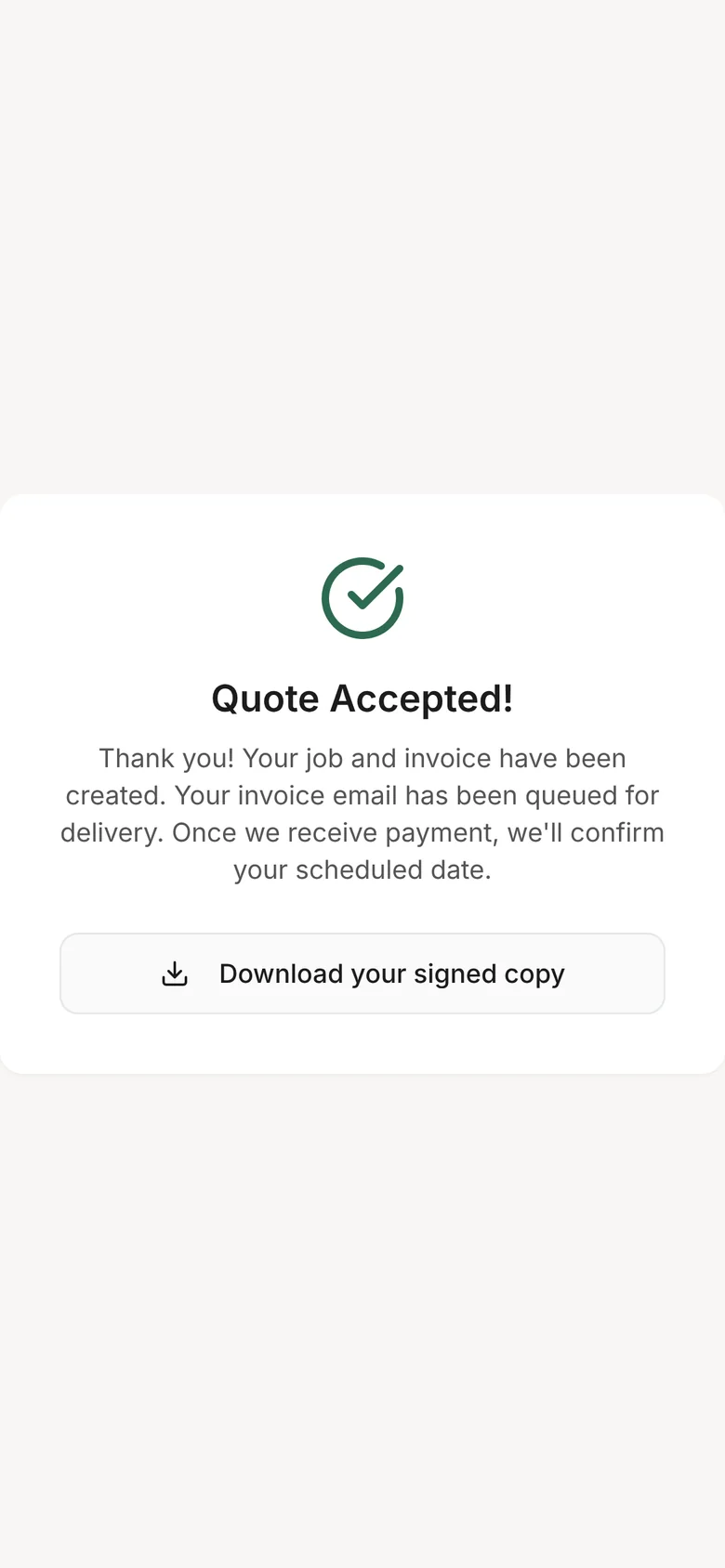
The confirmation has a Download your signed copy button. It is still there if they open the link again later.
Actual Verdis interface · Example business and customer. The signature was drawn for this example.
By signing below, I accept this quote and authorize the company named on it to perform the services described, at the prices and on the terms shown, including any recurring visits and billing described for a service plan. I agree to sign electronically, and I understand that my electronic signature has the same legal effect as my handwritten signature.
The same short wording is on every quote.
What you see
A signed quote
can't be changed.
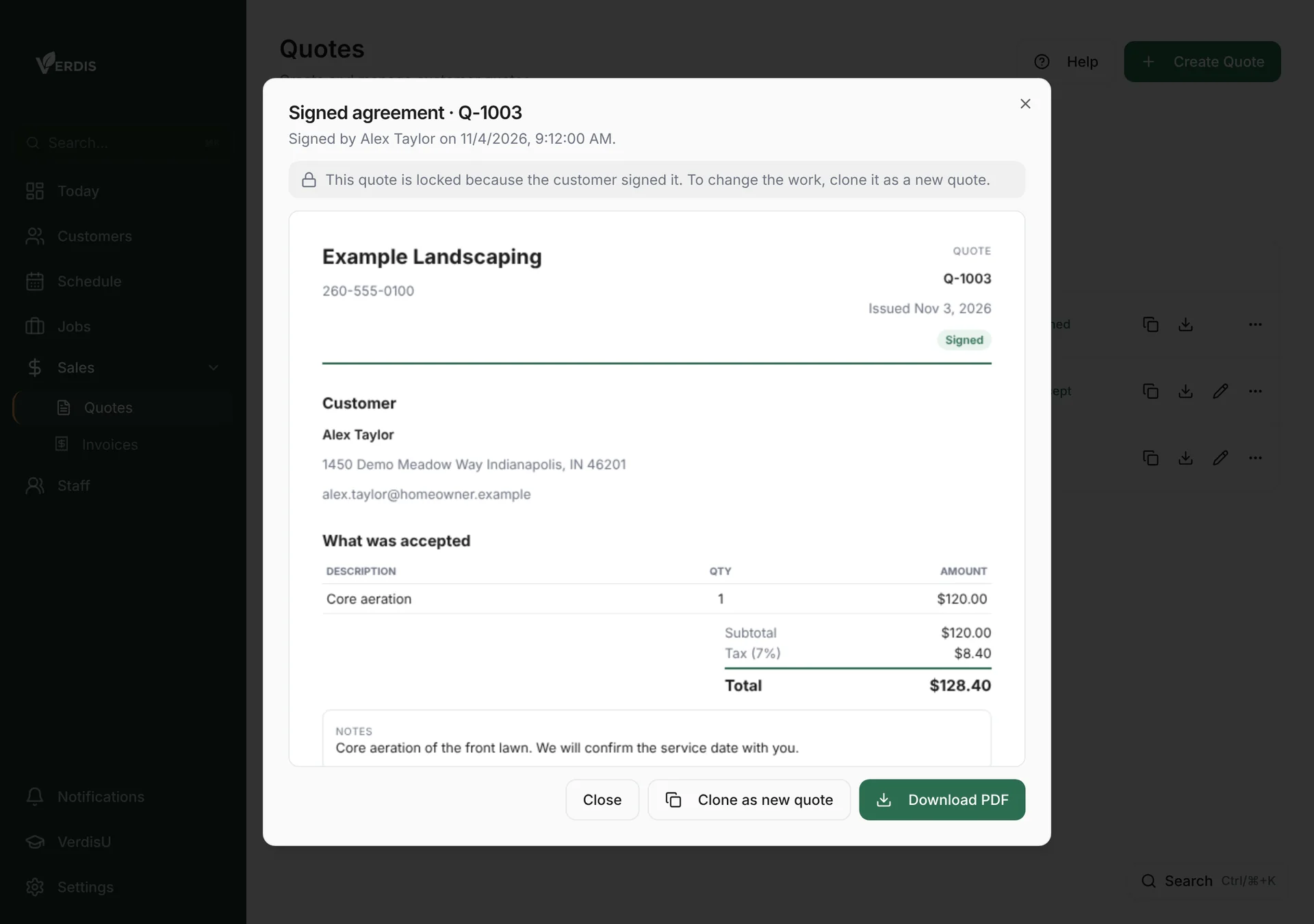
When your customer signs from the emailed link, a one-time quote becomes the job and the invoice, as it did before signatures were added. Now there is a signed record behind it.
- The quote moves to Accepted and shows Signed in your Quotes list
- Open the signed agreement from the quote, on a phone or a computer
- Download the signed copy as a PDF
- A signed quote is locked. It can't be edited, moved to another status or deleted
- To change the work, clone it and send the copy for a new signature
What Verdis keeps
What is saved
with every signature.
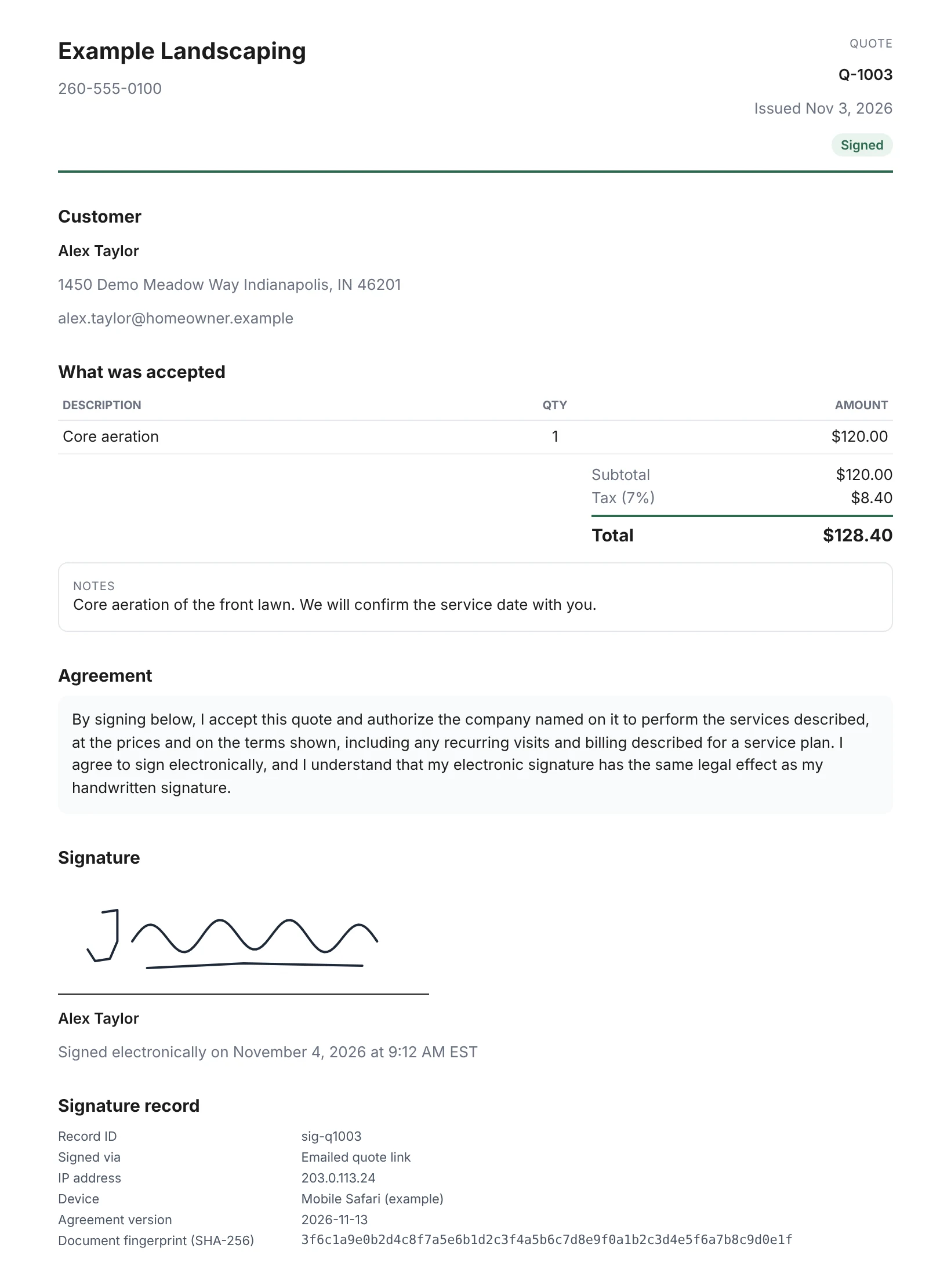
Each signature is saved once, with the quote. Nobody can change it afterwards, and you and your customer can each download the same signed copy.
- What was accepted
- A frozen copy of the quote at the moment of signing: the chosen option, line items, tax, total and notes. Later price changes can't alter it.
- The agreement
- The exact wording your customer saw, and its version.
- The signature
- The drawn signature, the typed full name, and the date and time.
- How it was signed
- From the emailed link or the customer portal, with the internet (IP) address and the device and browser used.
- A document fingerprint
- A SHA-256 code made from the agreement, the frozen quote, the name and the signature. If any of them were altered, the code would no longer match.
Both kinds of quote
It works for one-time jobs and for service plans.
One-time jobs
Your customer signs for the work and the total. If you offered Good, Better and Best, they choose one first and sign for that option.
Service plans
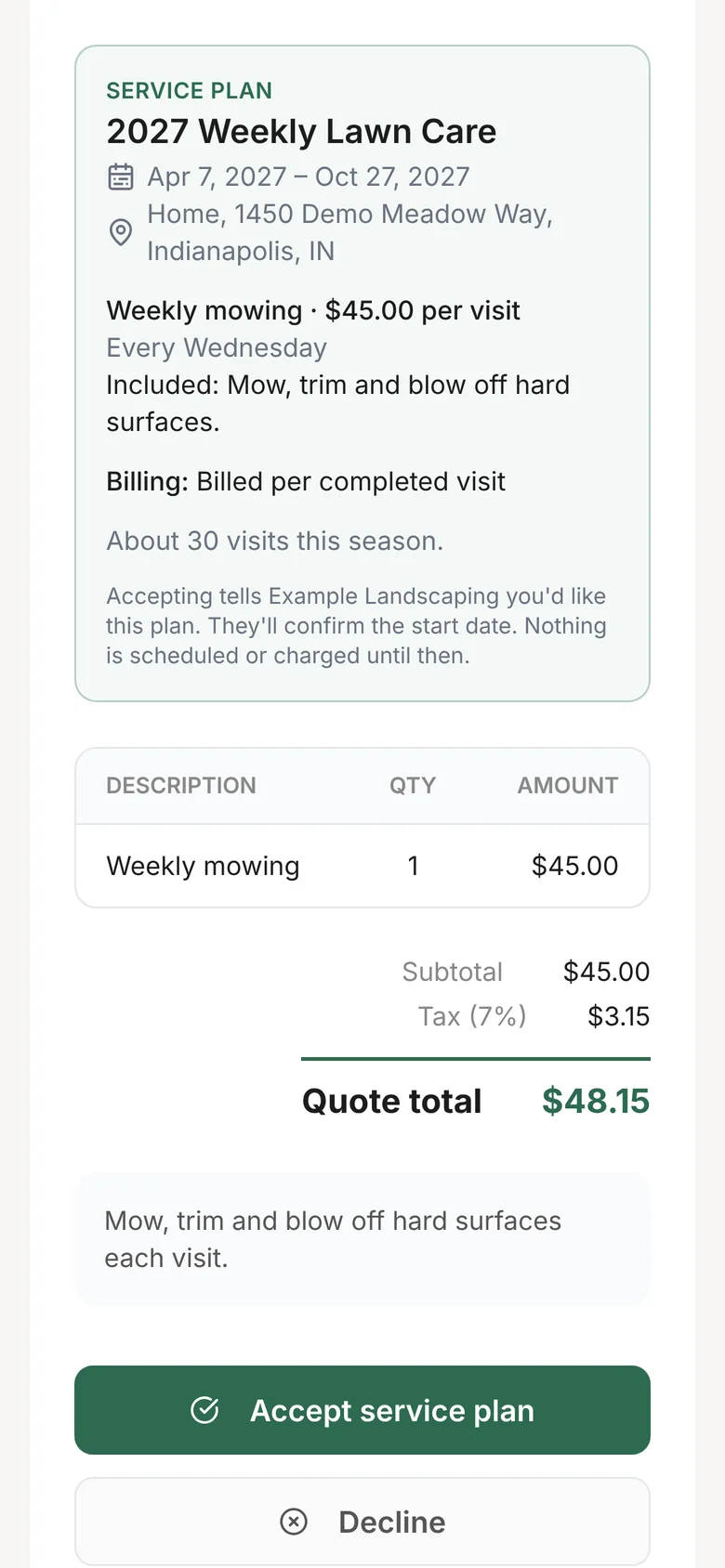
The quote spells out the services, how often, the price per visit, the season and how it is billed. Your customer signs for all of it. Nothing is scheduled or charged until you start the plan.
E-signatures are on every plan. Service plans are on Growth and Canopy. See plans and pricing.
Good to know
What it is,
and what it isn't.
Customers sign the quote itself. Verdis does not send a separate contract document for signature, and the agreement wording is the same on every quote.
A signed quote can't be edited or deleted on its own. Deleting the customer deletes their signed agreements too, so download copies you need to keep.
If a customer says yes by phone or in person, you can accept the quote yourself. That records no signature.
Verdis does not give legal advice. If a job needs a fuller contract, such as deposit terms, talk to your attorney.
How quoting works in VerdisE-signature questions.
- Can customers sign a landscaping quote on their phone?
- Yes. The customer opens the quote from the link in your email or from their customer portal, taps Accept, draws their signature with a finger, confirms their full name, ticks the agreement box and taps Sign & accept. On a computer they sign with the mouse.
- Does it work for recurring service plans as well as one-time jobs?
- Yes. A service plan quote shows the services, how often, the price per visit, the season and how it is billed, and the customer signs it the same way. Accepting a service plan does not schedule or charge anything; you start the plan. Service plans are on the Growth and Canopy plans.
- What does Verdis keep with each signature?
- A frozen copy of the quote as it was when signed, the exact agreement wording and its version, the drawn signature, the typed full name, the date and time, whether it was signed from the emailed link or the portal, the IP address and device, and a SHA-256 document fingerprint.
- Can a signed quote be changed?
- No. A signed quote is locked: its lines, prices, tax, notes and status can't be edited and it can't be deleted on its own. To change the work, clone it as a new quote and send the copy; the customer signs the new quote separately.
- Does my customer need an account or an app?
- No. The emailed link opens the quote in their phone's browser without a password, and there is nothing to install. Customers who use your customer portal can sign there too.
- Which Verdis plans include e-signatures?
- Every plan. Quoting and signing are on Seed, Growth and Canopy. Service plan quotes need Growth or Canopy, because that is where service plans are.
- Can I upload my own contract for customers to sign?
- No. Customers sign the quote itself, under the same short agreement on every quote. Verdis does not give legal advice; if a job needs a fuller contract, such as deposit terms, talk to your attorney.
- What if the customer says yes over the phone?
- You can still accept the quote yourself. That records the acceptance without a signature, and the quote shows Accepted rather than Signed.
14-day free trial
Send your next quote for a signature.
Start with one customer and one real quote, job or invoice. If you get stuck, ask us.
14 days free. Card required. No charge until your trial ends.
Prefer a personal walkthrough?